Moving Box and Task Planner
Moving Planner Spreadsheet, Searchable Box Inventory with Room Filters, Packing Progress and Task Owner Checklist
- Search contents and locations
- Filter boxes by destination room
- Assign tasks and track progress
- Includes a separate worked example
What you get
- moving-box-task-planner.xlsxExcel workbook · 99 KB
Find the box you need and keep your move organized with a searchable inventory, destination room summaries and assigned tasks.
What you download
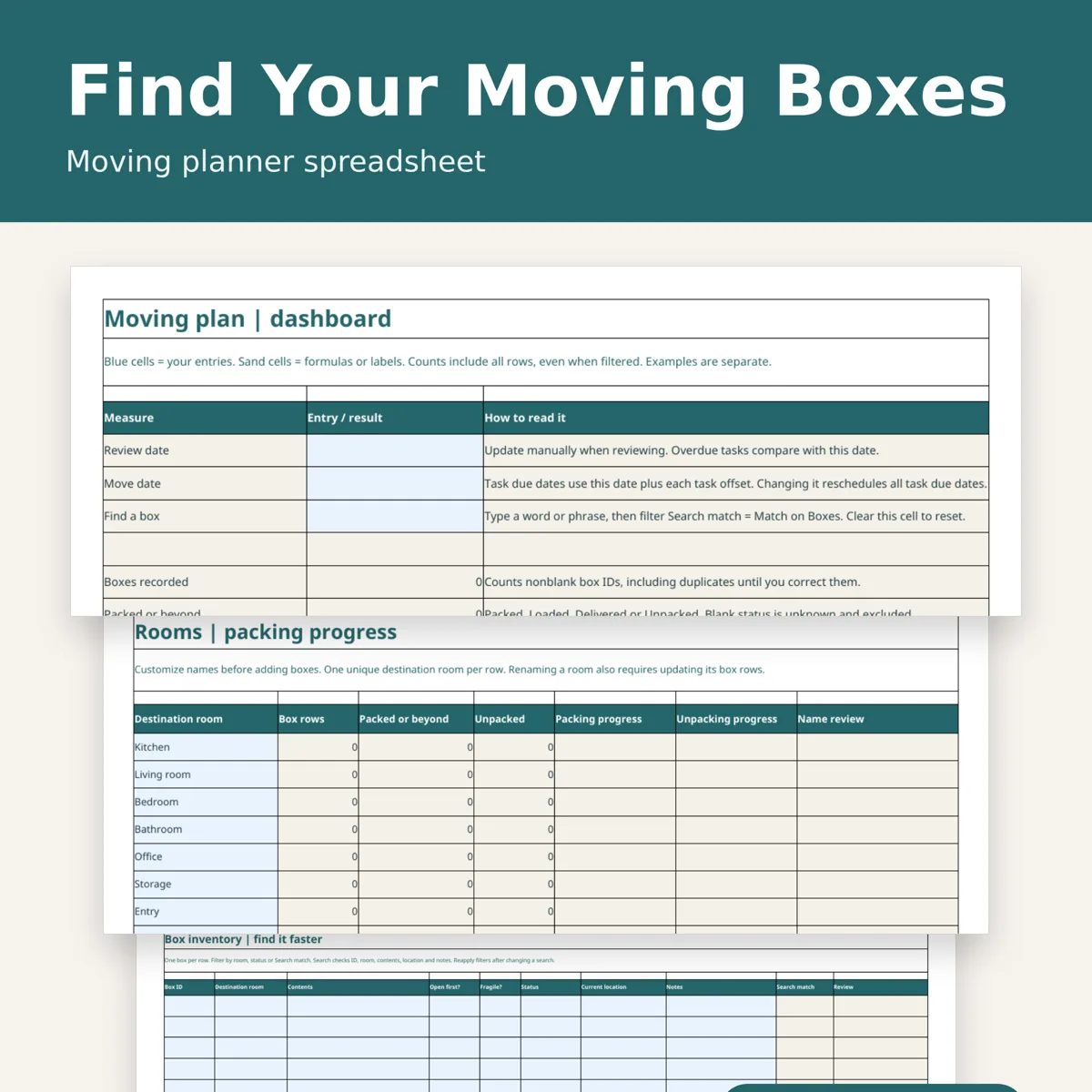
One .xlsx workbook with nine worksheets: Dashboard, Rooms, Boxes, Tasks, Start Here, Example Dashboard, Example Rooms, Example Boxes and Example Tasks. Includes an inventory ready for your entries, editable starter tasks, instructions and a separate fictional worked example. Digital download only; no physical item, box labels or printable PDF is included.
Box inventory
Record up to 200 boxes with unique IDs, destination rooms, contents, open-first and fragile flags, status, current location and notes. Enter a search phrase on Dashboard, then filter Search match on Boxes to find matching contents, IDs, rooms, locations or notes. Search ignores letter case. Reapply the filter after changing the phrase. Filter directly by destination room or status as well. Duplicate IDs and incomplete rows are flagged for review.
Packing and task progress
Customize up to 12 destination rooms and see packing and unpacking progress by room and overall. Assign task owners, adjust due-date offsets relative to your move date and track completion. Includes 29 editable starter tasks with room for 80 total. Not needed tasks are excluded from task progress. Overdue flags compare due dates with your manually entered review date. Blank box status remains unknown.
Worked example
Separate example sheets demonstrate searching for mugs, tracking boxes through delivery and unpacking, finding a duplicate box ID and assigning move tasks. These fictional entries never feed your own planner.
Compatibility and limits
Use desktop spreadsheet software supporting .xlsx, including Excel and LibreOffice Calc. No macros or online account required. Blue cells are editable; formula cells are colored but not locked. All tracking is manual with fixed prepared ranges; inserting rows does not automatically extend formulas. Totals include filtered-out rows. Dates do not advance automatically. The wide tables are designed for screen use; print areas initially cover the top of the dashboard, room summary or first table rows. No live carrier tracking, generated labels or external integrations. Suggested tasks are editable organization prompts; confirm arrangements with your own providers.
Designed by seller. Designed by OEFR Digital with AI assistance.
Designed by OEFR Digital with AI assistance.