Wedding Budget and Payment Planner
Wedding Planner Spreadsheet, Wedding Budget Tracker with Expense Estimates, Vendor Payment Schedule and Worked Example
- Estimates and actual costs
- Deposits and installment balances
- Due dates and overdue flags
- Separate worked example
- Clear input and formula colors
What you get
- wedding-budget-payment-planner.xlsxExcel workbook · 93 KB
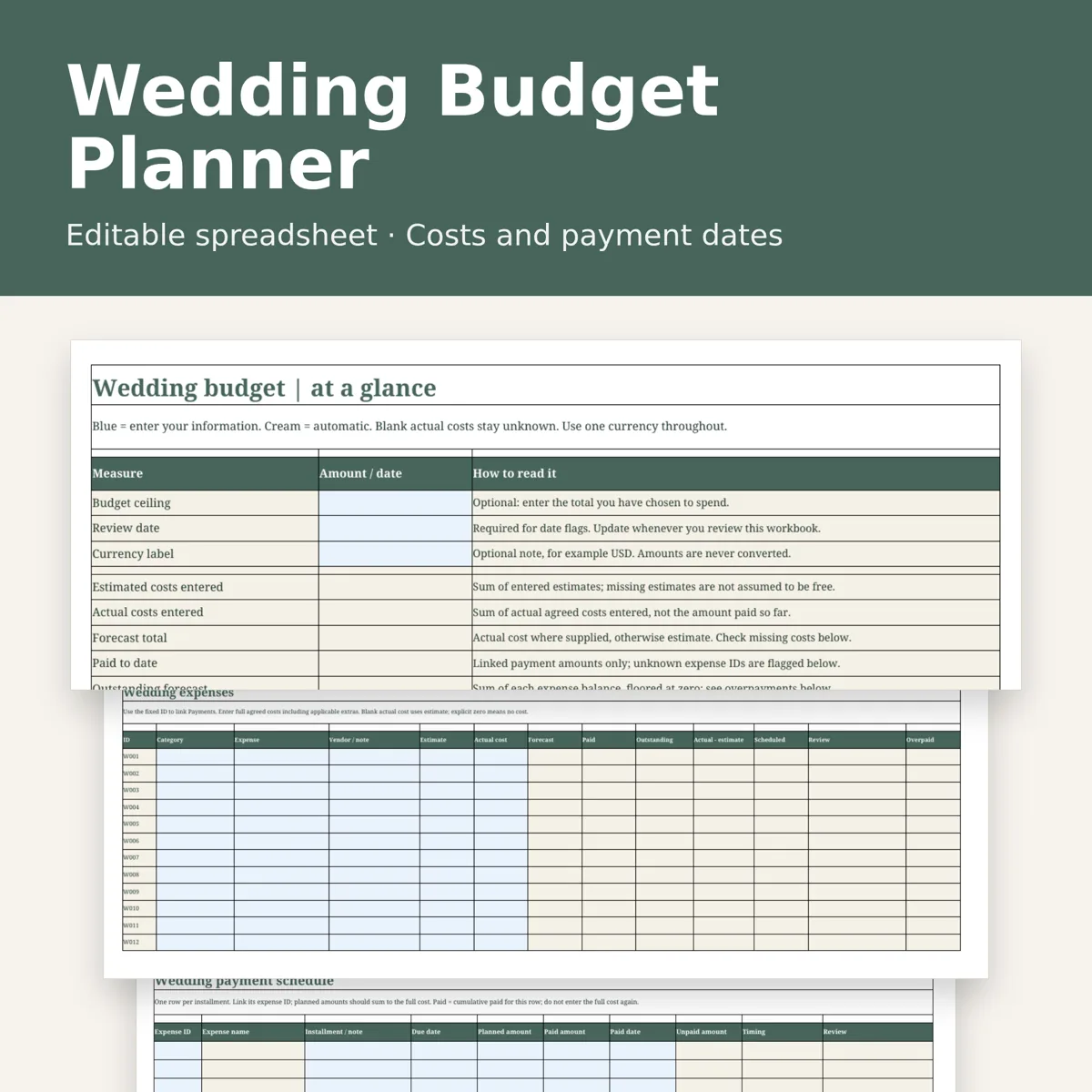
Keep wedding costs and payment dates together in a practical wedding planner spreadsheet. Compare estimates with actual agreed costs, track deposits and later installments, and see outstanding amounts without counting a deposit twice.
Your download
One editable .xlsx workbook with 8 tabs: Overview, Start Here, Expenses, Payments, Categories, Example Overview, Example Expenses and Example Payments. Includes room for 100 expenses and 200 payment installments. The blank planner is separate from the completed fictional example. No physical item or PDF is included.
What it does
Category totals compare estimated and actual costs. Forecast uses the estimate until you enter an actual cost. Enter zero explicitly for a confirmed no-cost item. Payment rows track due date, planned amount, amount paid, paid date and balance. Overdue and due-soon flags use a review date you choose. Dashboard checks flag missing costs, incomplete schedules and unmatched payment IDs. Pale blue cells are inputs; cream cells contain formulas. Formula cells are unprotected so you can adapt the file; keep a clean backup.
How to use
Read Start Here, set a budget and review date, enter expenses, then link each installment by expense ID. For a partly paid installment, update its cumulative paid amount; for distinct payment dates use separate installments whose planned amounts add up to the agreed cost. Review the dashboard checks and filter the Payments tab for upcoming dates.
Requires a desktop spreadsheet app that supports .xlsx, such as Excel. Checked by recalculating in an offline desktop spreadsheet application. No macros, external links, Google login or subscription to our service. Amounts use a neutral numeric format: choose one currency and use it throughout; there is no currency conversion. This is an editable workbook, not a paper-sized printable.
Designed by seller. Designed by OEFR Digital with AI assistance. For personal wedding organization only; not professional financial advice. Examples are fictional, not suggested wedding costs.
Designed by OEFR Digital with AI assistance.