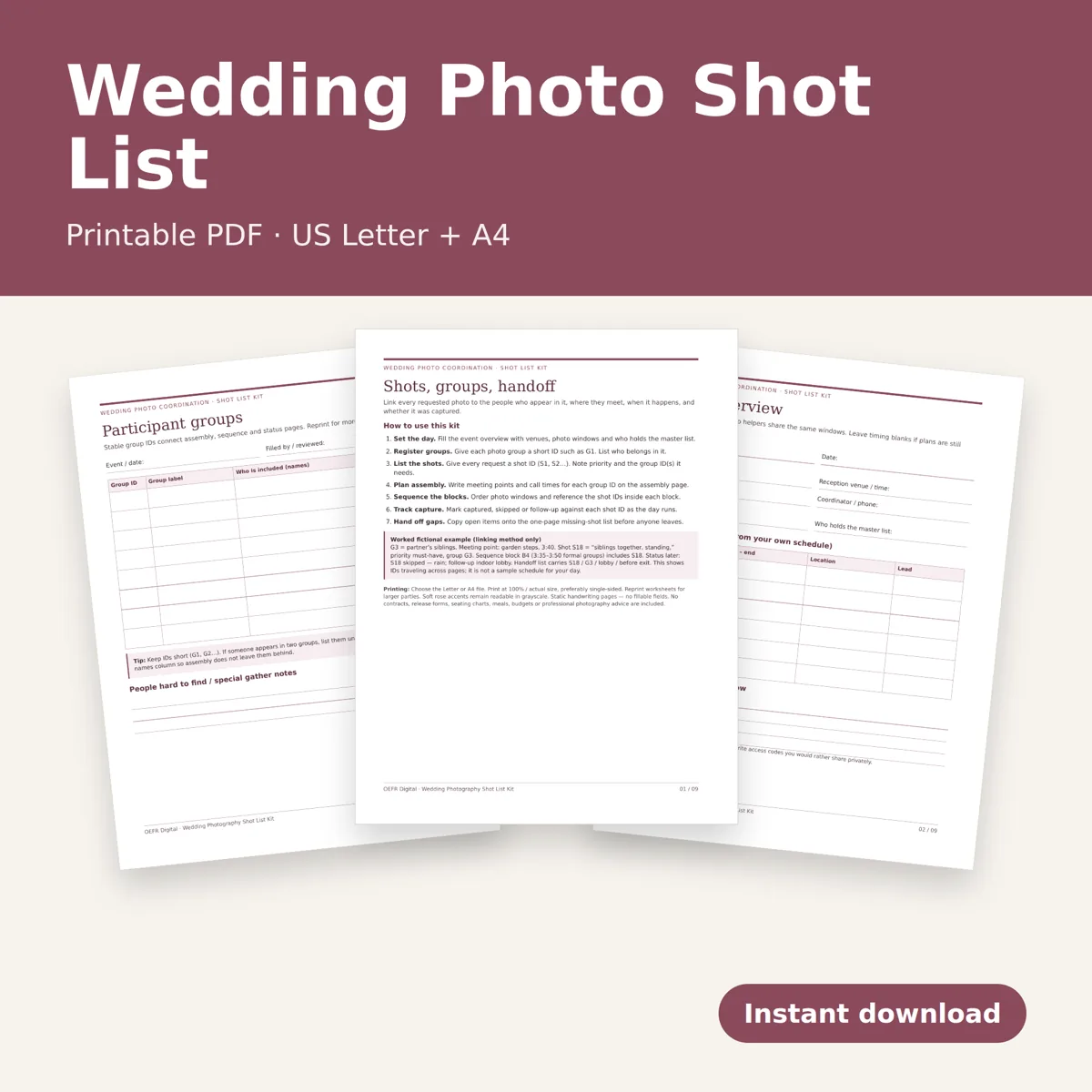
Wedding Photography Shot List Kit
Wedding Photography Shot List Printable, Group Assembly Meeting Points, Capture Status and Missing Shot Handoff, Letter and A4 PDF
- Shots linked to groups and priorities
- Meeting points and sequence blocks
- Captured / skipped / follow-up status
- One-page missing-shot handoff
What you get
- wedding-photography-shot-list-kit.zipZIP archive · 119 KB
Inside the download:
- wedding-photography-shot-list-kit-us-letter.pdf9 pages · 65 KB
- wedding-photography-shot-list-kit-a4.pdf9 pages · 65 KB
Coordinate wedding-day photos from requested shots to group assembly and a clean missing-shot handoff. Give every shot and group a short ID, then carry those IDs from the request list through meeting points, sequence blocks and captured / skipped / follow-up status.
What you receive
One ZIP with two printable PDF files: the same 9-page kit in US Letter and A4. Print and write by hand. These are static pages, not editable or fillable forms. No physical item ships.
Inside the kit
1. Start here: printing guide, page map and a worked fictional grouping example 2. Event overview: date, venues, photo windows and contact notes 3. Participant and group register with stable group IDs 4. Requested shots master list with shot IDs, priority and group links 5. Group assembly and meeting points linked to group IDs 6. Photo sequence blocks with start windows and shot references 7. Capture status tracker: captured, skipped or follow-up per shot ID 8. One-page missing-shot handoff list for end-of-day transfer 9. Wrap notes: what worked, what to repeat, open follow-ups
How the pages link
Assign group IDs such as G1 and shot IDs such as S12. Write the same IDs on the assembly sheet, sequence blocks, status tracker and handoff list so anyone helping can find the next group or open shot without rewriting the full request. The start page includes a short fictional example that shows the linking method.
This kit organizes photo coordination only. It does not include contracts, model or property release forms, guest seating plans, meal functions, budgets, payment tracking or professional photography advice. Timing windows are blanks for you to fill from your own schedule.
Printing and use
Choose the PDF that matches your paper. Print at actual size / 100%, preferably single-sided. Reprint any worksheet for larger parties. Soft rose accents stay readable in grayscale. For personal use coordinating your own wedding day photos, including copies for helpers you brief. Do not resell or redistribute the digital files.
Designed by OEFR Digital with AI assistance. Every page is checked before listing.
Designed by OEFR Digital with AI assistance. Every page is checked before listing.