College Assignment Workload Planner
College Assignment Tracker Spreadsheet, Course Planner with Subtasks, Due Dates and Weekly Workload
- Course-linked assignments
- Subtasks and due-date flags
- Weekly remaining-hour totals
- Missing information stays visible
- Editable XLSX with a clear guide
What you get
- college-assignment-workload-planner.xlsxExcel workbook · 67 KB
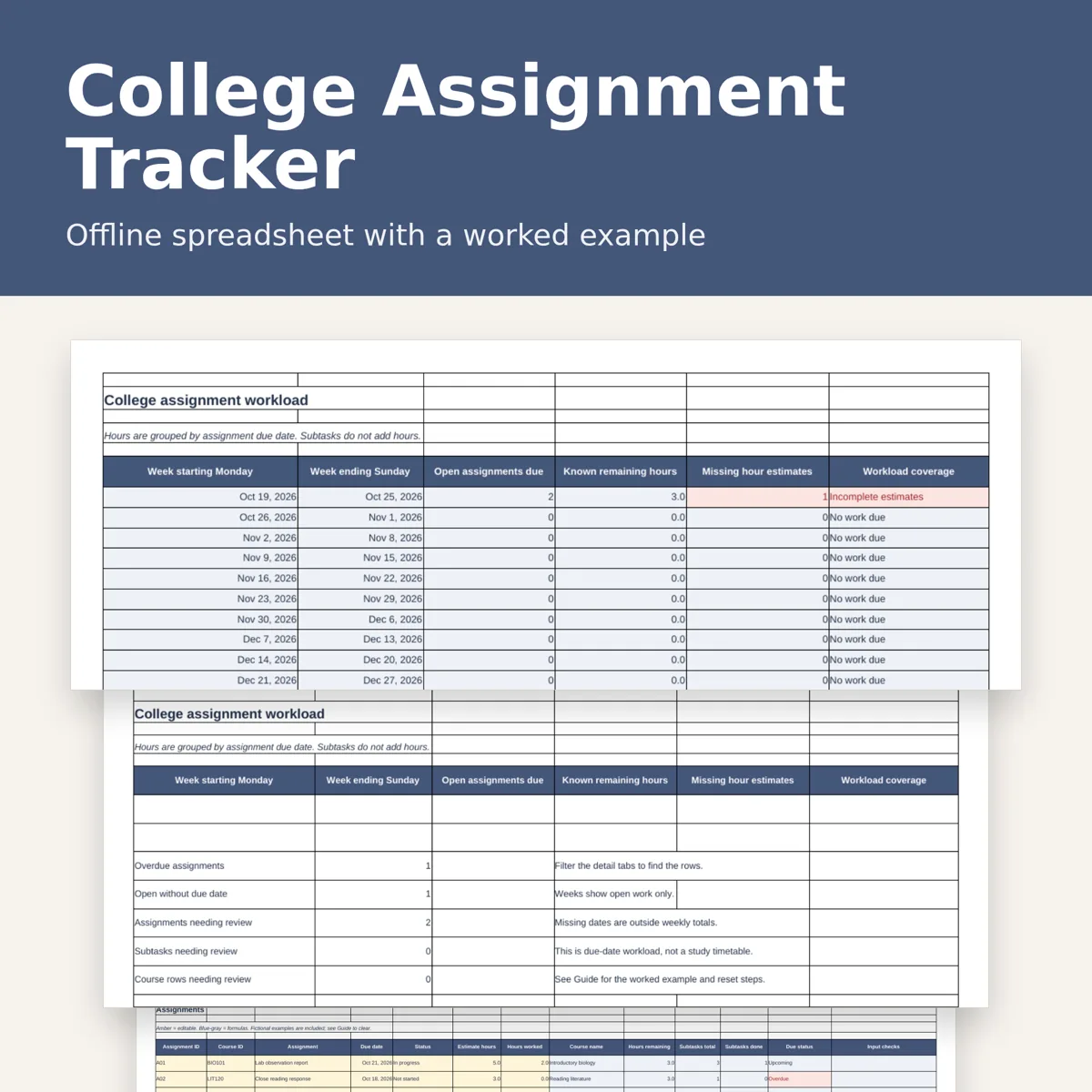
Keep course assignments and next steps together in an offline spreadsheet. Link each assignment to a course, record its due date and estimated hours, and see remaining work grouped by due week. Filter for overdue work or missing information before planning your study sessions.
You receive
One .xlsx workbook with five tabs: Weekly, Assignments, Subtasks, Courses and Guide. Includes space for 15 courses, 150 assignments and 300 subtasks, plus a 16-week workload view. A fictional worked example shows how course links, completion, missing dates and overdue checks behave. The Guide explains exactly which example input cells to clear.
What it does
Course-name lookup, status dropdowns, remaining-hour calculations, linked subtask counts, weekly due-date workload, overdue flags, missing-date and missing-estimate checks, duplicate assignment ID checks and course-link checks. Missing estimates stay visible as incomplete workload information. Subtasks are a checklist; hours are entered only on assignments so they are not counted twice.
Use
Open in desktop Excel or LibreOffice Calc. No macros, account connection or online service required. Dates and formulas recalculate in your spreadsheet app. The review date starts with a fictional example date; change it to your review date or enter =TODAY() for daily updates. This is an editable digital workbook, not a physical planner or a PDF printable. Use on a computer for the full-width assignment table. No calendar sync, reminders or grade prediction.
Designed by seller. Designed by OEFR Digital with AI assistance. Every worksheet is checked before listing. Personal use only. Do not resell or redistribute the file.
Designed by OEFR Digital with AI assistance. Every worksheet is checked before listing.