Customer Order and Dispatch Tracker
Customer Order Tracker Spreadsheet, Custom Requests and Production Stages, Due Dates and Partial Dispatch Log
- Linked orders, requests and dispatch
- Due dates and production stages
- Partial dispatch and remaining quantities
- Overdue and incomplete record flags
- Worked examples and setup guide
What you get
- customer-order-dispatch-tracker.xlsxExcel workbook · 79 KB
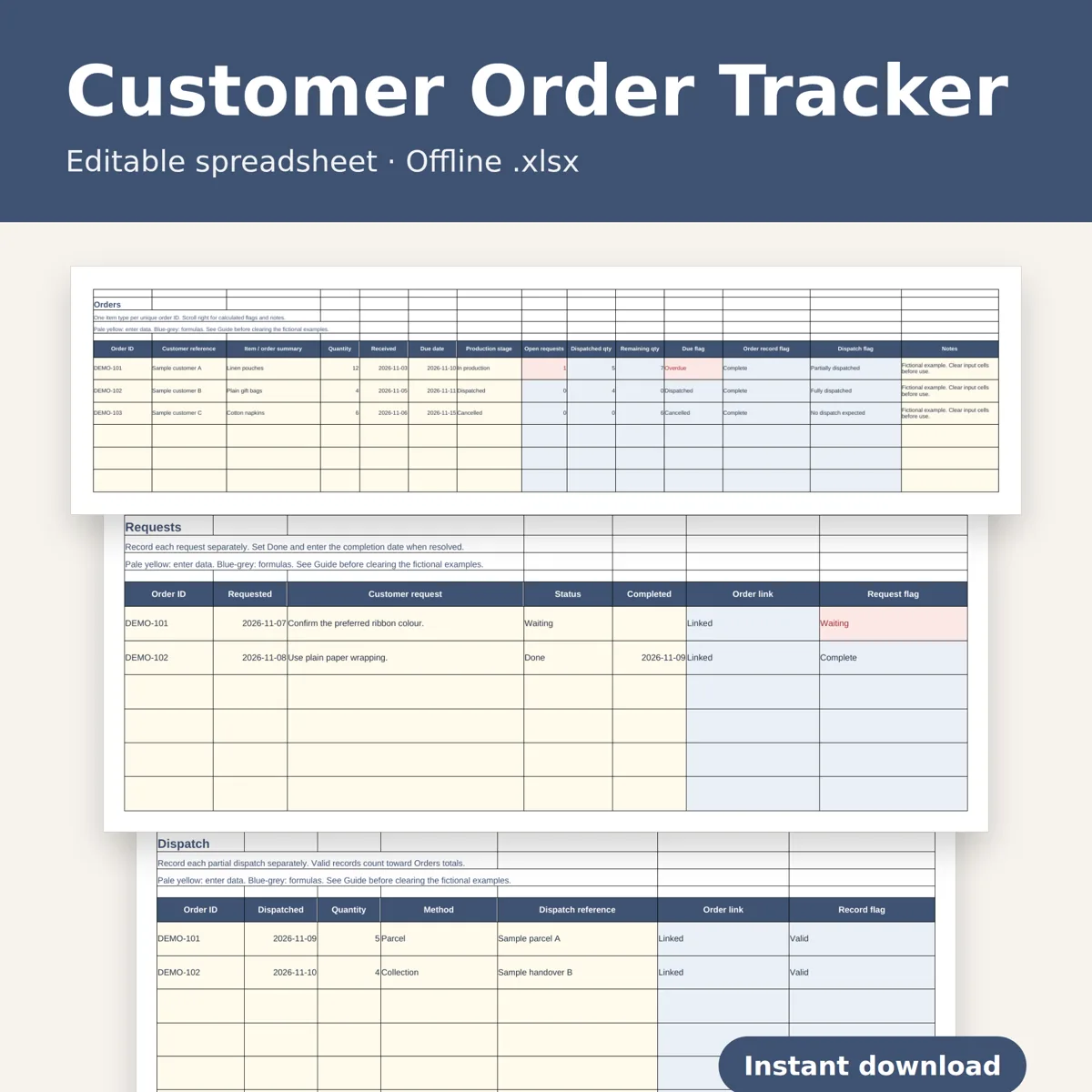
Keep customer orders, requests and dispatch records connected with an offline spreadsheet. Reuse the same order ID across the logs to see open requests, valid dispatched quantities, remaining quantities and overdue orders.
You receive
One editable .xlsx workbook with four tabs: Orders, Requests, Dispatch and Guide. Each working log has 200 prepared rows with filters, dropdowns, frozen headings and formulas. Three fictional orders demonstrate an overdue partial dispatch, a completed order and a cancelled order. Clear the example input cells before using your own records; instructions are included.
Track customer reference, item or order summary, quantity, received date, due date and production stage. Add multiple requests and partial dispatch records against each order ID. Separate flags identify duplicate or unknown IDs, missing details, open requests, over-dispatch and incomplete dispatch records. Only complete, valid dispatch rows count toward dispatched quantities.
Open locally in desktop Excel or LibreOffice Calc. An installed spreadsheet application is required. No macros, account connection, automatic shipping updates or customer messaging. Designed for one item type per order ID; use separate IDs for different items. Prepared capacity is 200 rows per log. The included guide explains date entry, filtering and clearing examples. This is a screen-use workbook, not a printable PDF.
Digital download only. No physical item. Designed by seller. Designed by OEFR Digital with AI assistance; workbook formulas and sample workflows are checked before listing.
Designed by OEFR Digital with AI assistance; workbook formulas and sample workflows are checked before listing.