Room by Room Household Inventory
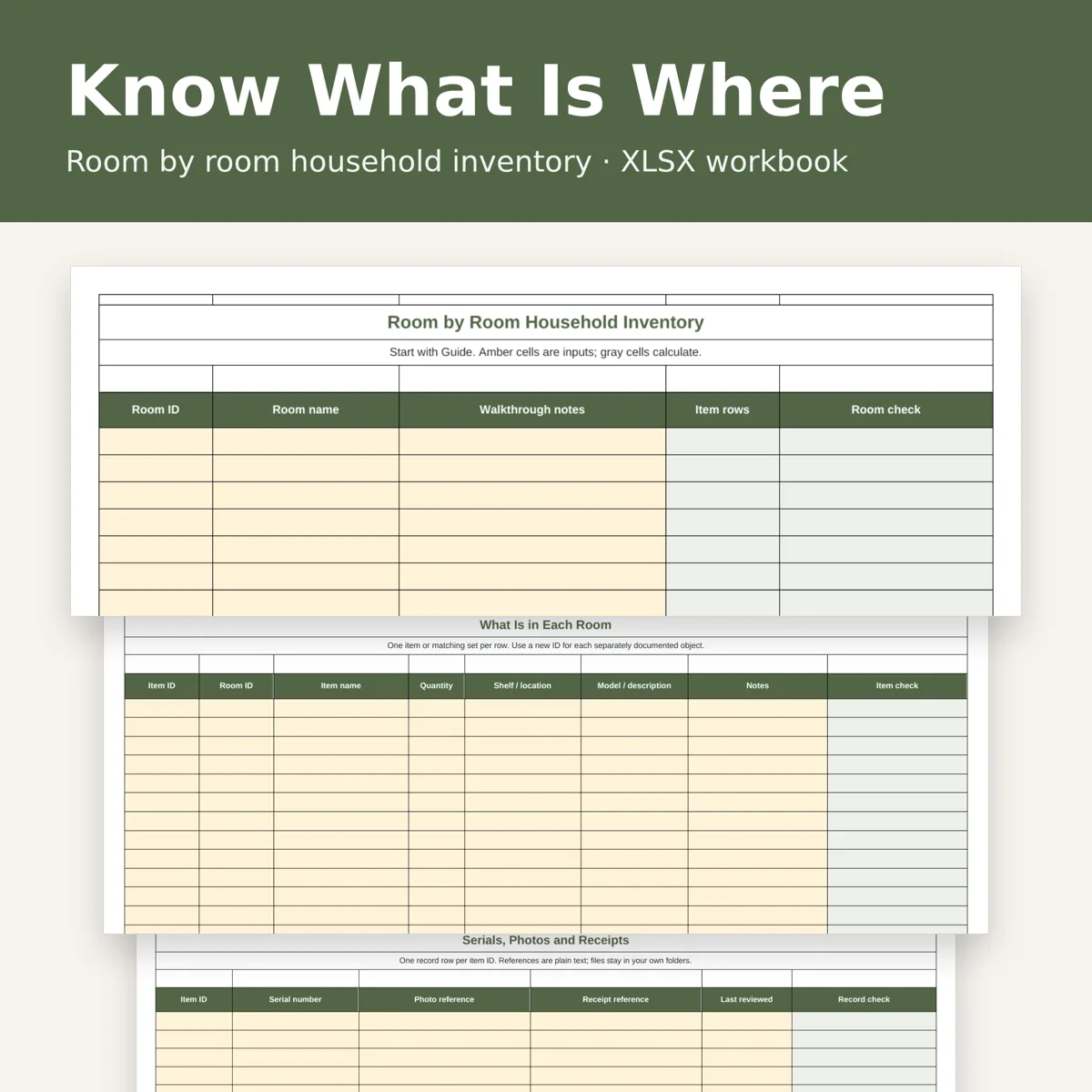
Household Inventory Spreadsheet Room by Room, Item and Serial Number Log, Photo and Receipt Record Tracker, Excel Download
- 20 rooms and 300 item rows
- Serial, photo and receipt references
- Missing-record and duplicate-ID checks
- Offline workbook with a clear guide
What you get
- household-room-record-inventory.xlsxExcel workbook · 59 KB
Build a useful record of what is in your home, one room at a time. Give each room and item a stable ID, then connect each item to its serial number and photo and receipt references.
What you receive
One .xlsx workbook with four tabs: Rooms, Items, Records and Guide. Space for 20 rooms, 300 item rows and 300 matching record rows. Rooms shows item-row counts by room; filters let you review a room or find records needing attention. A worked fictional example and room walkthrough prompts are included in the Guide. This is a digital download; no physical product or PDF is included.
Practical records
Track item names, quantities, shelf or cupboard locations, models and notes. Store serial numbers as text to preserve leading zeros. Record local filenames or folder references for photos and receipts; the workbook does not embed, upload or open those files automatically. Missing fields, duplicate IDs, invalid room links and unmatched records produce visible row checks. Checks review entered text and IDs, not the existence or accuracy of files.
How to use
Start with the Guide, name your rooms, enter items, then add a Records row with the same item ID. Blank inputs are ready for your own household; fictional examples are separate from your totals. Amber cells are editable and gray cells calculate. Formulas and dropdowns cover the stated capacity only. Use a desktop spreadsheet app supporting .xlsx, dropdowns and automatic calculation, such as Excel or LibreOffice. No macros, online account or external connection is required. Designed for on-screen use; print a selected filtered range as needed.
This is a household organization tool. It does not calculate values or provide insurance, legal or financial advice. Keep your workbook and supporting files backed up privately.
Designed by OEFR Digital with AI assistance. Every worksheet is checked before listing.
Designed by OEFR Digital with AI assistance. Every worksheet is checked before listing.