Simple Wedding Guest List
Wedding Guest List Spreadsheet Simple, Household Invitation and RSVP Tracker, Meal Counts and Table Capacity Planner
- Household invitation tracking
- Individual responses and meal counts
- Table capacity checks
- Blank planner and worked example
- Offline spreadsheet with dropdowns
What you get
- simple-wedding-guest-list.xlsxExcel workbook · 42 KB
Organize wedding invitations by household and responses by person in a simple offline guest list spreadsheet. Mixed household responses are counted individually, so a household can include attending, declined and still-pending guests.
Your download
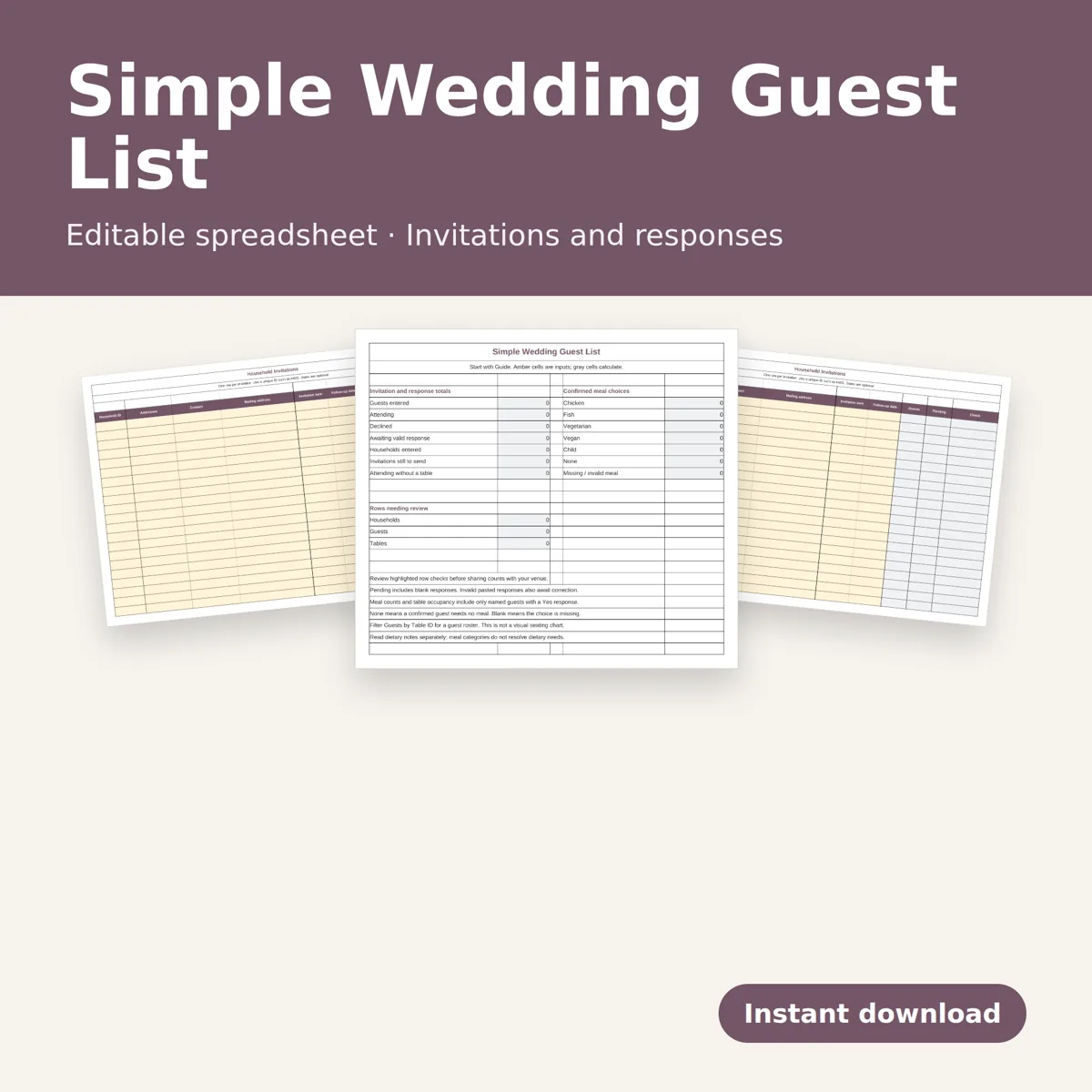
One editable .xlsx workbook with six tabs: Overview, Households, Guests, Tables, Guide and Example. Space for 100 households, 200 individual guests and 30 tables. Includes a blank working planner and a separate fictional worked example. No physical item or PDF is included. This is a spreadsheet for on-screen use, not a paper-sized printable or visual seating chart.
What it does
Track invitation and follow-up dates, contact details and mailing addresses per household. Record each person's response, meal choice, table and dietary notes. Overview counts attending, declined and pending guests, household invitations still to send and confirmed meal choices. Meal options are Chicken, Fish, Vegetarian, Vegan, Child and None. Blank responses count as pending. Only confirmed Yes guests count toward meals and occupied seats.
Tables compare confirmed guests with the seat capacity you enter. Row checks flag missing names and household links, duplicate household or table IDs, missing confirmed meal choices, unassigned or unknown tables and over-capacity seating. Dropdowns help with response, meal, household and table selection. Dietary notes remain free text for you to review with your caterer.
How to use
Read Guide, add households, add one guest per person, then create tables and enter responses. Filter the guest list by household, response or table. Pale amber cells are editable; gray cells calculate automatically. Formula cells are unprotected, so keep a clean copy and edit only input cells. The built-in ranges do not expand beyond the stated capacity.
Requires a desktop spreadsheet application supporting .xlsx, such as Excel. Recalculated and checked in an offline desktop spreadsheet application. No macros, external links, Google login or subscription to our service. It does not send invitations or collect online responses.
Designed by seller. Designed by OEFR Digital with AI assistance.
Designed by OEFR Digital with AI assistance.